Stop 2 of 7
Send your quote
See the pond, work out a price at your own rates, and send your quote.
For vendors
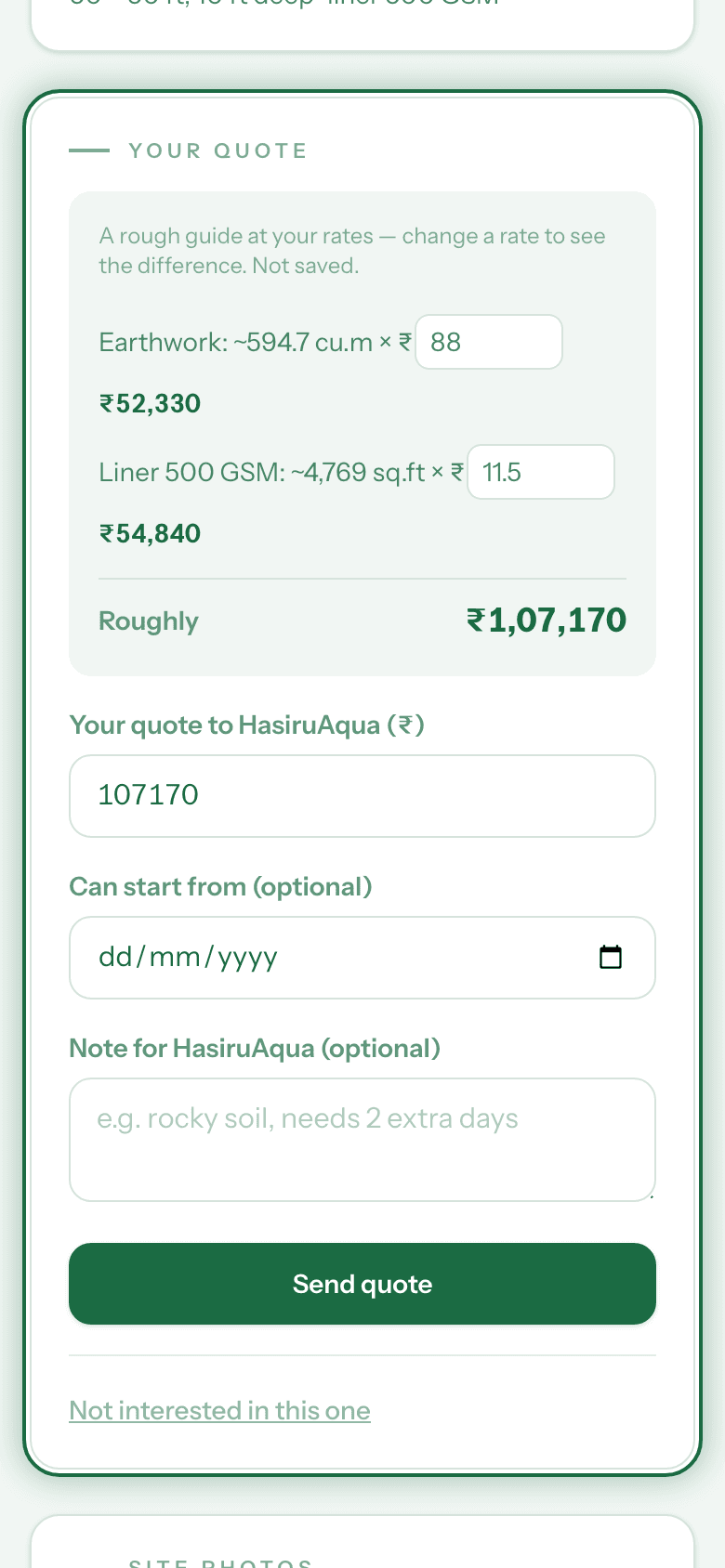
What to say: "The lead shows the pond: its size, depth and liner. A rough guide works out a price at your own rates; type your quote, when you can start and a note, then tap Send quote, or Not interested in this one if it isn't for you."
You see the farmer's name and phone once HasiruAqua gives you the go-ahead.
More in this tour
- A lead arrivesA new job near you shows up under New, with the village and the pond size.
- Waiting for the green lightYour quote waits under Quoted, and you can change it until HasiruAqua decides.
- The green lightThe job is yours, and the farmer's details and your payout appear.
- Build steps, with photosTick off each step as your team finishes it, and add photos from the site.
- Sign-offThe farmer checks the pond, you upload the QC photo, and HasiruAqua signs off.
- Seed and other ordersHatcheries and other suppliers get their orders the same way.
Was this the right page? Back to help home