My orders
Every order you've placed with HasiruAqua, in progress and past, with where each one is.
For buyers
My orders lists what you've ordered from HasiruAqua, such as MeenDoctru units for the ponds of the farmers you work with. Orders are in two tabs. The number on each tab is how many orders it holds.
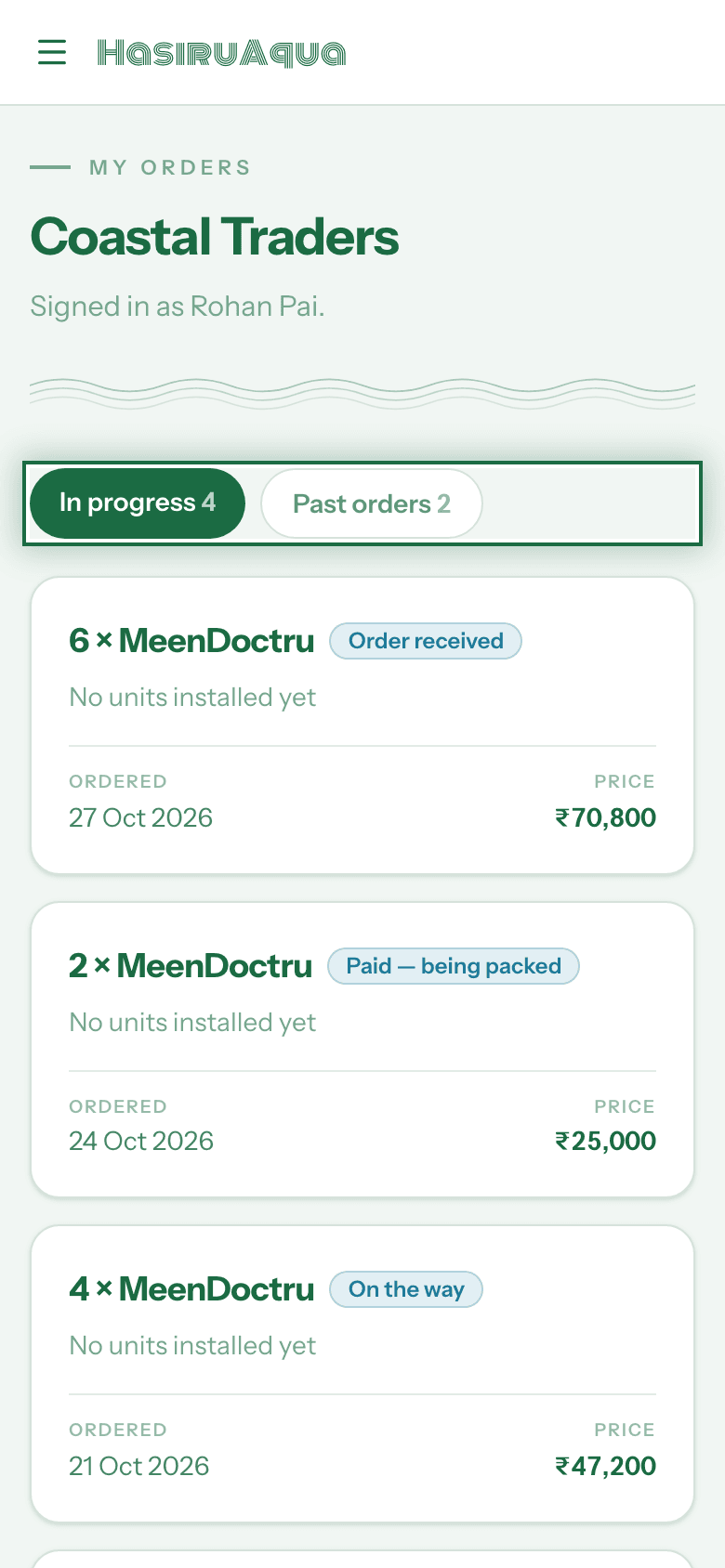
- In progress: orders HasiruAqua is still working on.
- Past orders: orders that are done, or were cancelled.
Read an order card
- The title is what you ordered, for example 4 × MeenDoctru.
- The label beside it says where the order is:
- Order received: HasiruAqua has your order and is agreeing the quote with you.
- Paid — being packed: your payment is in, and the units are being packed.
- On the way: the units have been sent.
- Installed: units are going in on the farmers' ponds.
- Done: every step is finished.
- On hold or Cancelled: HasiruAqua will tell you why.
- The line under it counts the units: "No units installed yet", "1 of 2 installed · 1 live", or "All 2 units live". Live means the unit is sending readings.
- Ordered (or Completed, once it's done) is the date, and Price is the order's price.
Tap a card to open the order. See One order, step by step.
If something looks wrong
- A tab says "No orders in progress" or "No past orders yet". Nothing is in that tab yet. Orders you place with HasiruAqua appear here.
- An order is missing, or a price looks wrong. Call HasiruAqua.
More for buyers
Was this the right page? Back to help home