ಹಸಿರುಆಕ್ವಾದವರ ಸಹಾಯ ಕೇಳಿ
ಹೊಂಡ ಅಥವಾ ಜಮೀನಿನ ಬಗ್ಗೆ ಹಸಿರುಆಕ್ವಾಗೆ ಮನವಿ ಕಳುಹಿಸಿ, ಅದು ಮುಗಿಯುವವರೆಗೆ ನೋಡುತ್ತಿರಿ.
ಇದು ಕರಡು ಅನುವಾದ, ಇನ್ನೂ ಪರಿಶೀಲನೆ ಆಗಿಲ್ಲ.
Draft translation, not yet checked. If something reads oddly, the English page is the one to go by.
ಮನವಿ (request) ಅಂದರೆ ನಿಮಗೆ ಸಹಾಯ ಬೇಕು ಎಂದು ಹಸಿರುಆಕ್ವಾಗೆ ತಿಳಿಸುವುದು: ನೀರಿನ ತೊಂದರೆ, ಮೀನಿನ ತೊಂದರೆ, ಸೆನ್ಸರ್ ತೊಂದರೆ, ಅಥವಾ ಬೇರೆ ಏನಾದರೂ. ಸಾಮಾನ್ಯವಾಗಿ ಅದೇ ದಿನ ಹಸಿರುಆಕ್ವಾದವರು ಉತ್ತರಿಸುತ್ತಾರೆ.
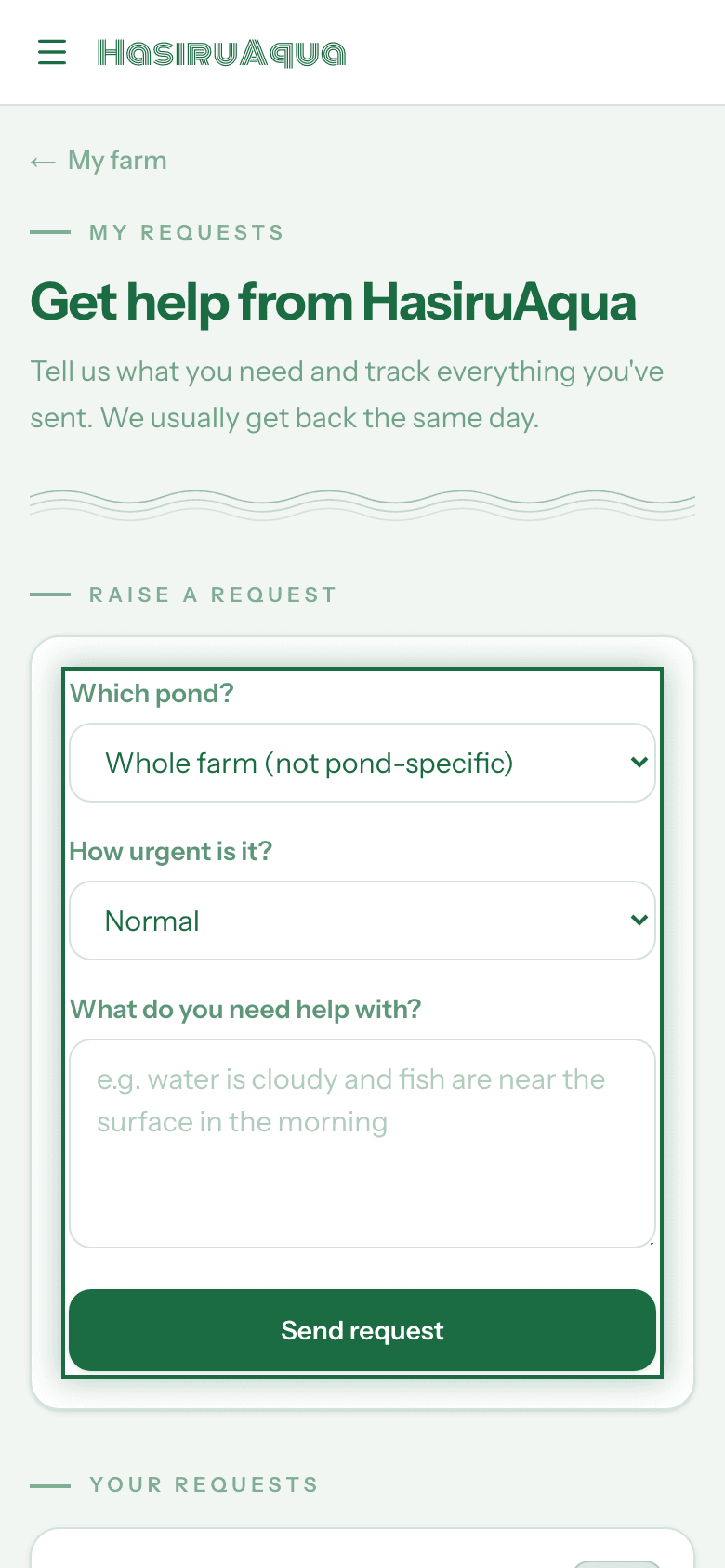
My farm ಪುಟದ ಮೇಲ್ಭಾಗದ Get help ಒತ್ತಿ. ಮೆನುವಿನಲ್ಲೂ (☰) ಇದೆ.
Which pond? ಕೆಳಗೆ ಹೊಂಡವನ್ನು ಆರಿಸಿ. ಇಡೀ ಜಮೀನಿನ ಬಗ್ಗೆ ಆಗಿದ್ದರೆ Whole farm (not pond-specific) ಹಾಗೇ ಬಿಡಿ.
How urgent is it? ಕೆಳಗೆ ಎಷ್ಟು ತುರ್ತು ಎಂದು ಆರಿಸಿ: Low (ತುರ್ತು ಇಲ್ಲ), Normal (ಸಾಮಾನ್ಯ) ಅಥವಾ High (ತುರ್ತು).
What do you need help with? ಬಾಕ್ಸ್ನಲ್ಲಿ ಏನು ತೊಂದರೆ ಎಂದು ನಿಮ್ಮದೇ ಮಾತಿನಲ್ಲಿ ಬರೆಯಿರಿ. ಉದಾಹರಣೆಗೆ: "ನೀರು ಮಬ್ಬಾಗಿದೆ, ಬೆಳಿಗ್ಗೆ ಮೀನು ನೀರಿನ ಮೇಲೆ ಬರುತ್ತಿವೆ".
Send request ಒತ್ತಿ. ಆ್ಯಪ್ Request sent — HasiruAqua has been notified. ಎಂದು ಹೇಳುತ್ತದೆ.
ನಿಮ್ಮ ಮನವಿ ಎಲ್ಲಿಗೆ ಬಂತು ನೋಡಿ
ನಿಮ್ಮ ಮನವಿಗಳು Your requests ಕೆಳಗೆ ಇರುತ್ತವೆ, ಹೊಸದು ಮೊದಲು, ಹೊಂಡ ಮತ್ತು ಕಳುಹಿಸಿದ ದಿನದ ಜೊತೆ. ಪಕ್ಕದ ಬರಹ ಅದು ಎಲ್ಲಿಗೆ ಬಂದಿದೆ ಎಂದು ಹೇಳುತ್ತದೆ:
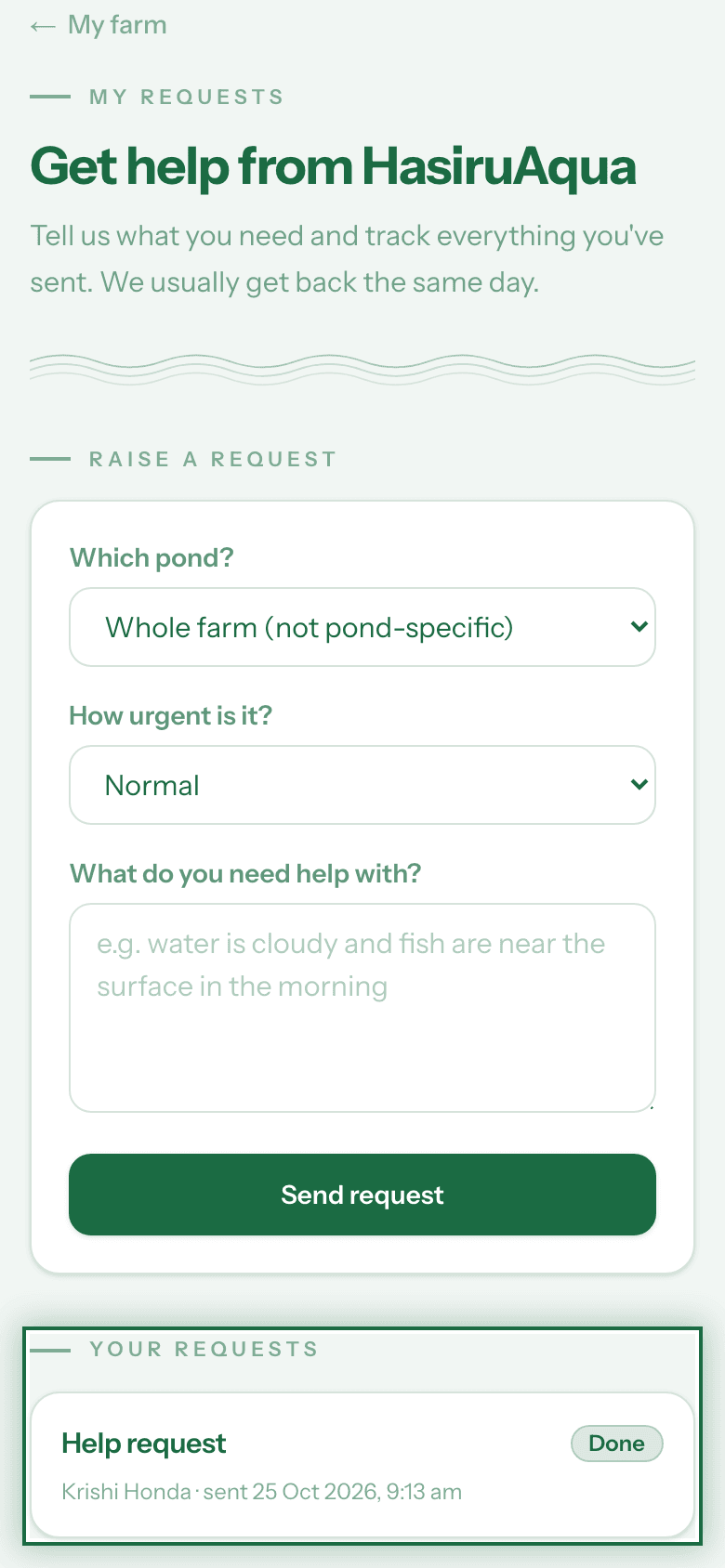
- Received: ಹಸಿರುಆಕ್ವಾಗೆ ತಲುಪಿದೆ.
- We're looking at it: ಏನು ಮಾಡಬೇಕು ಎಂದು ನೋಡುತ್ತಿದ್ದಾರೆ.
- Someone is being sent: ನಿಮ್ಮ ಜಮೀನಿಗೆ ಒಬ್ಬರನ್ನು ಕಳುಹಿಸುತ್ತಿದ್ದಾರೆ.
- Being fixed: ಕೆಲಸ ನಡೆಯುತ್ತಿದೆ.
- Sorted ಅಥವಾ Done: ಮುಗಿದಿದೆ.
- On hold: ಯಾವುದೋ ಕಾರಣಕ್ಕೆ ಕಾಯುತ್ತಿದೆ. ಏಕೆ ಎಂದು ಹಸಿರುಆಕ್ವಾದವರು ತಿಳಿಸುತ್ತಾರೆ.
- Cancelled: ನಿಲ್ಲಿಸಲಾಗಿದೆ.
ಮನವಿಗಳು My farm ಪುಟದ Recent activity ಕೆಳಗೂ ಕಾಣುತ್ತವೆ. ನೀವು ಕಳುಹಿಸದ ಮನವಿಯೂ ಕಾಣಬಹುದು: ಹೊಂಡದಲ್ಲಿ critical ಎಚ್ಚರಿಕೆ ಬಂದರೆ ಆ್ಯಪ್ ತಾನಾಗಿಯೇ ಒಂದು ಮನವಿ ತೆರೆಯುತ್ತದೆ, ಹಸಿರುಆಕ್ವಾದವರು ಕೂಡಲೇ ನೋಡಲಿ ಎಂದು.
ಕೆಲಸ ಮಾಡದಿದ್ದರೆ
- "Describe what you need help with." ಎಂದು ಬಂದರೆ. ಬಾಕ್ಸ್ ಖಾಲಿ ಇತ್ತು. ಏನು ಬೇಕು ಎಂದು ಬರೆದು ಮತ್ತೆ Send request ಒತ್ತಿ.
- ಮೀನು ಸಾಯುತ್ತಿದ್ದರೆ, ಅಥವಾ ತುಂಬಾ ತುರ್ತು ಇದ್ದರೆ. ಆ್ಯಪ್ನಲ್ಲಿ ಉತ್ತರಕ್ಕೆ ಕಾಯಬೇಡಿ. ತಕ್ಷಣ ಹಸಿರುಆಕ್ವಾಗೆ ಕರೆ ಮಾಡಿ.
- ಸೆನ್ಸರ್ ಕೆಲಸ ಮಾಡುತ್ತಿಲ್ಲದಿದ್ದರೆ. ಮೊದಲು ಸೆನ್ಸರ್ ಸಹಾಯ ಬಳಸಿ. ನೀವು ಏನೇನು ಮಾಡಿದ್ದೀರಿ ಎಂದು ಅದು ಹಸಿರುಆಕ್ವಾಗೆ ಕಳುಹಿಸುತ್ತದೆ.
More for farmers
- Sign in to the HasiruAqua appSign in with Google, using the Gmail address you gave HasiruAqua.
- My farm, your ponds at a glanceEach pond, its latest reading, and your recent orders and requests, on one screen.
- A pond and its sensorOpen a pond to see its MeenDoctru readings, any alerts, and the fish in it.
- What an alert means, and what to doWhen a reading goes past HasiruAqua's limit, the app raises an alert. Here's what each one means.
- Sensor not working? Use the troubleshooterA few quick checks on your MeenDoctru, then a request to HasiruAqua if it still isn't working.
- Your orders, and what each label meansFollow your seed and feed orders, pond build, MeenDoctru set-up and harvest sales from My farm.
Was this the right page? Back to help home