Your payment details
Add or change the UPI ID or bank account HasiruAqua pays you into.
Your payment details are where HasiruAqua pays you. They're at the bottom of Earnings · ಗಳಿಕೆ.
Tap Earnings · ಗಳಿಕೆ on the bar at the bottom, and scroll down to Payment details · ಪಾವತಿ ವಿವರಗಳು.
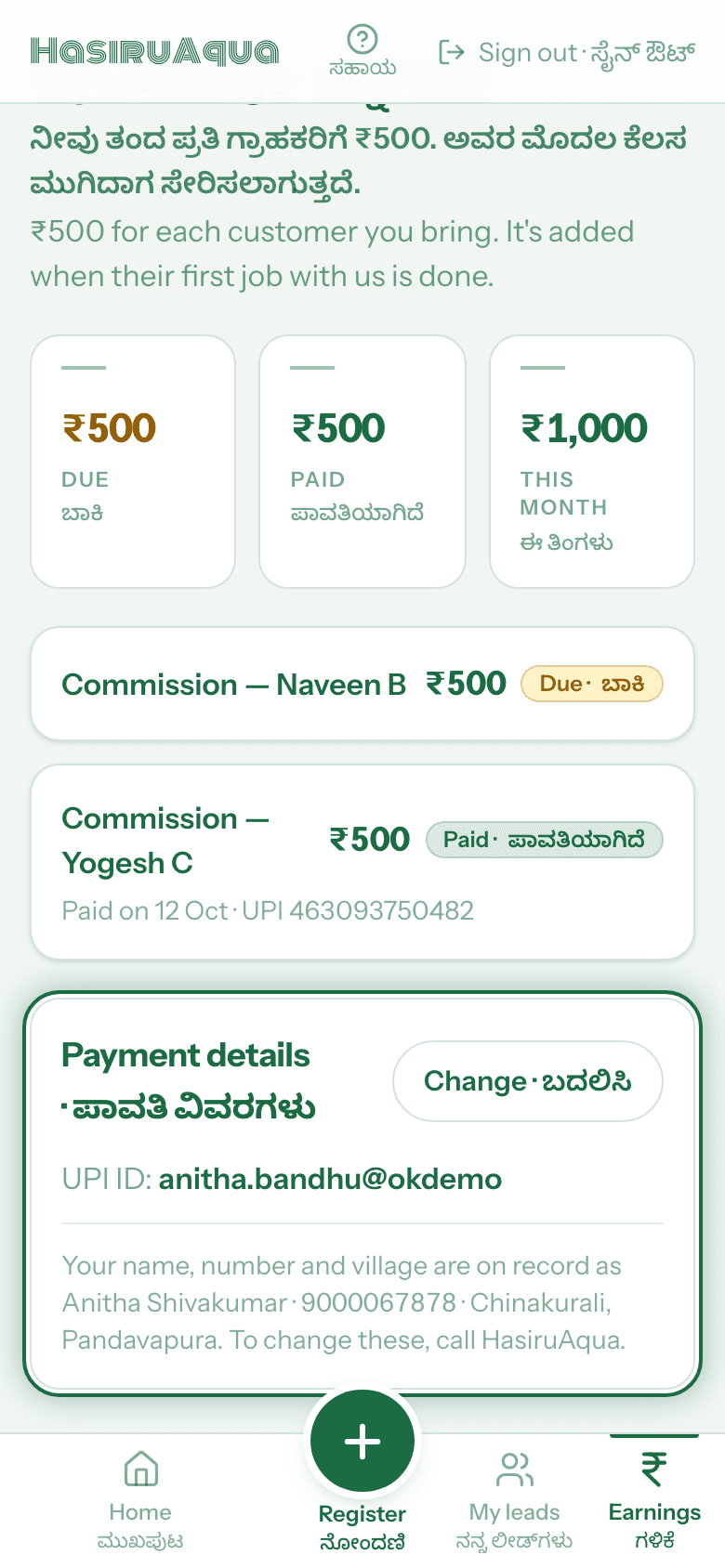
The first time, tap Add your UPI ID · ನಿಮ್ಮ UPI ID ಸೇರಿಸಿ. To change them later, tap Change · ಬದಲಿಸಿ.
Type your UPI ID, like 98xxxxxx10@ybl or name@okaxis. A UPI ID is enough. If you'd rather be paid into a bank account, fill in Account holder name, Account number and IFSC instead.
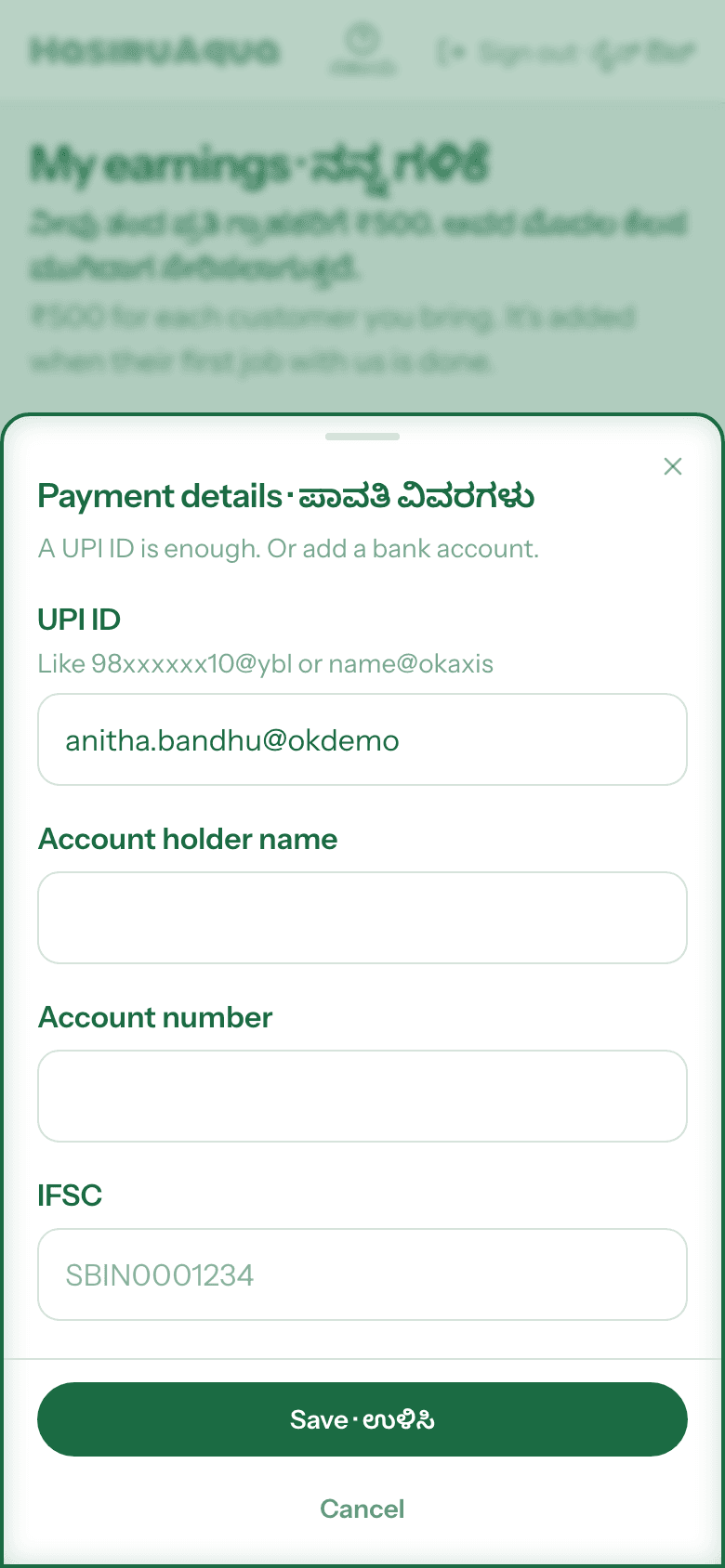
Tap Save · ಉಳಿಸಿ. The app says Payment details saved. To leave without saving, tap Cancel.
Your name, number and village
Under your payment details, the app shows your name, mobile number and village as HasiruAqua has them. You can't change these in the app. To change them, call HasiruAqua.
More for bandhus
- Signing in as a BandhuSign in with Google, using the Gmail address you gave HasiruAqua.
- Your Bandhu homeThe one big button to register a farmer, this month's numbers, and the bar at the bottom.
- Register a farmerAdd a farmer who wants to hear from HasiruAqua. Only the name, mobile number and what they want are needed.
- My leads, and what each status meansEvery farmer you've registered, newest first, and where each one is with HasiruAqua.
- Share what HasiruAqua offersSend farmers HasiruAqua's services on WhatsApp, each with a link to its page.
- My earningsHow you're paid, what's due, what's been paid, and what you've earned this month.
Was this the right page? Back to help home