My leads, the work HasiruAqua sends you
Every lead HasiruAqua sends you, in four tabs, from new to finished.
When a partner farmer needs what you do, a pond build or a seed order for example, HasiruAqua sends you a lead. Every lead lands in My leads, in four tabs. The number on each tab is how many leads are in it.
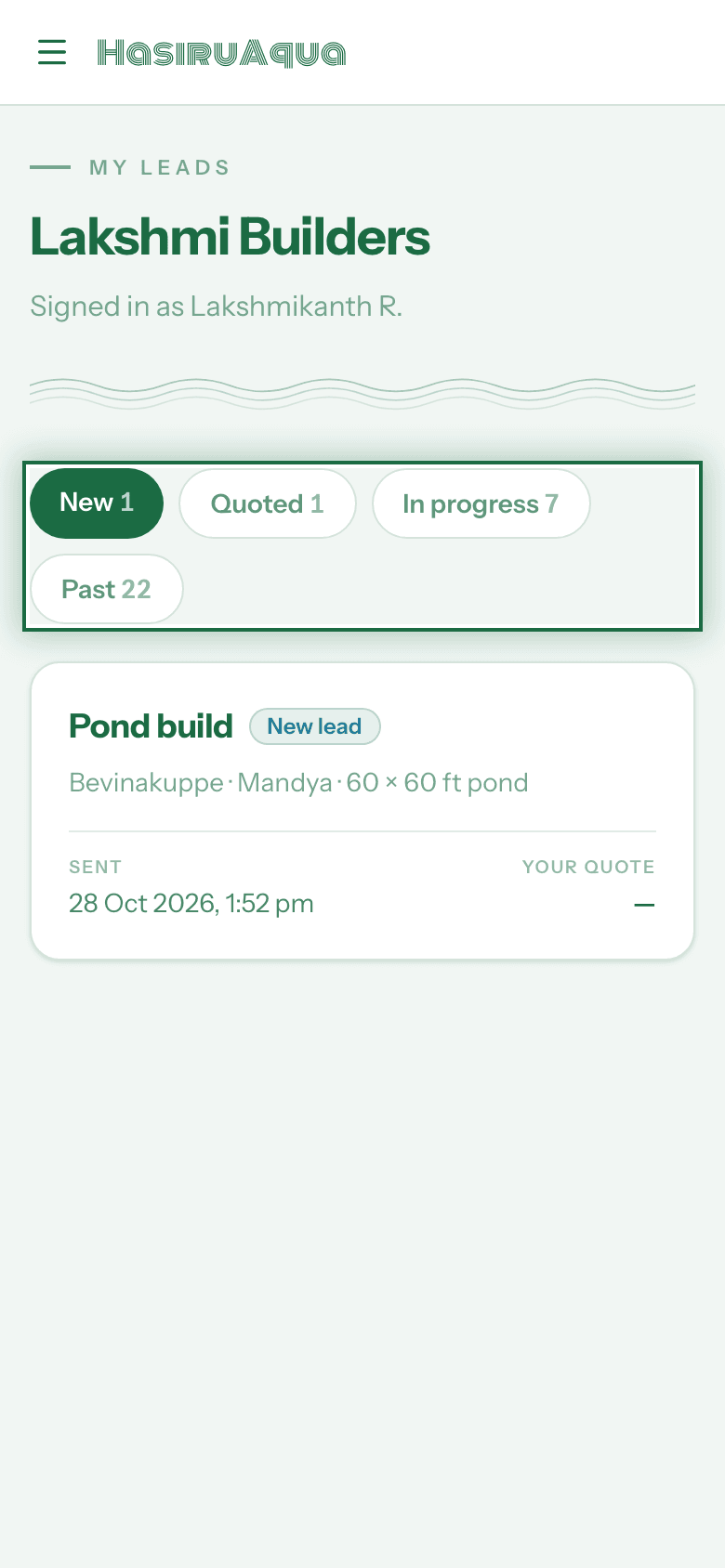
- New: leads you haven't answered yet. Send a quote or pass.
- Quoted: you've sent a quote, and HasiruAqua is deciding.
- In progress: HasiruAqua gave you the go-ahead. The work is yours.
- Past: finished work, leads you passed on, and leads that closed.
Read a lead card
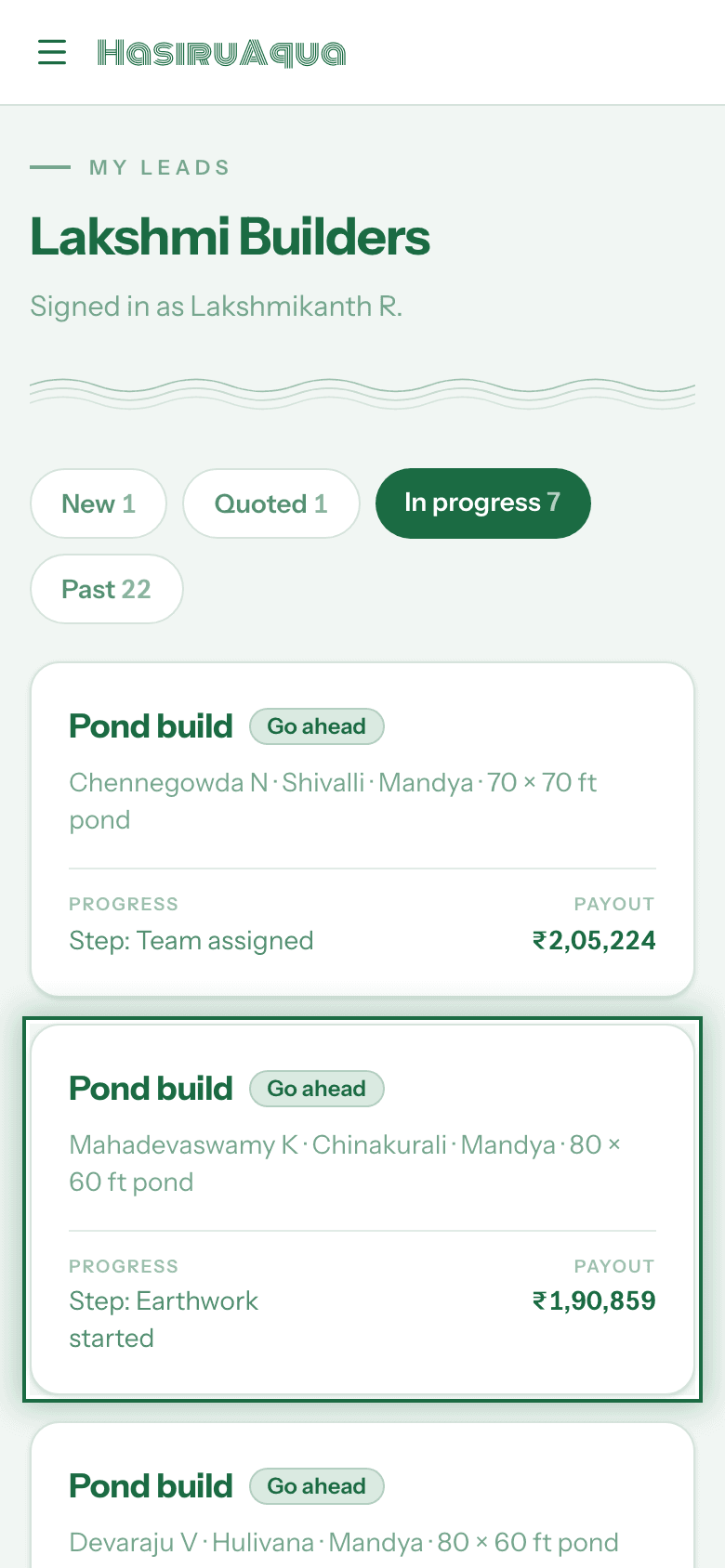
- The title is the work: Pond build, Seed order and so on.
- The label beside it says where the lead stands: New lead, Quote sent, Go ahead, You passed or Closed.
- The line under it gives the village, the district and the pond size. The farmer's name shows only once you have the go-ahead.
- Sent and Your quote: when HasiruAqua sent the lead, and what you quoted.
- After the go-ahead, Progress shows the build step you're at, and Payout what HasiruAqua pays you for the job.
Tap a card to open the lead. See Send a quote, or pass on a lead.
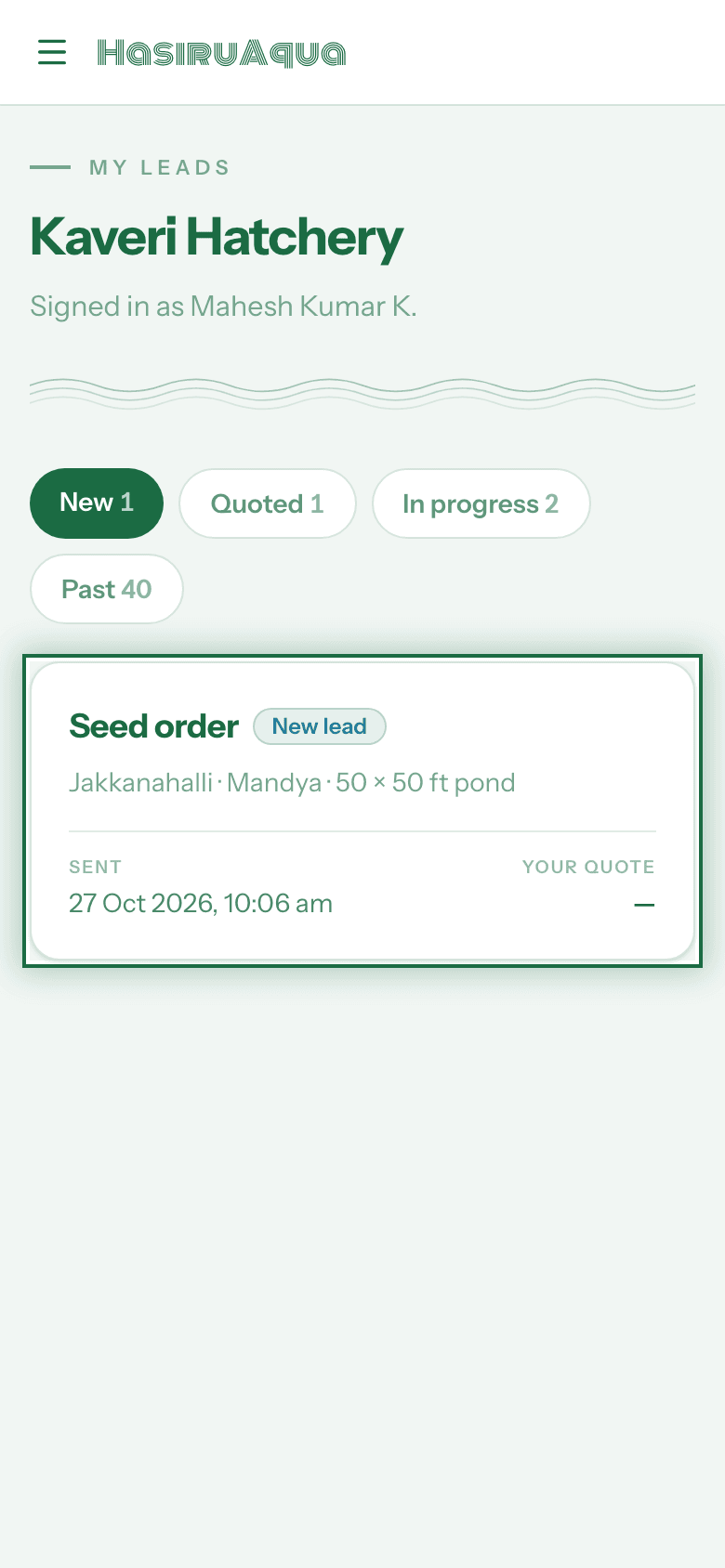
Hatcheries and other suppliers see their leads the same way:
"Complete your profile"
A yellow Complete your profile box at the top means something is missing: your rates (so your quotes fill in for you), or your UPI or bank details (so HasiruAqua can pay you). Tap it to go straight there. See My profile.
Move around the app
Tap the menu (☰) at the top left for My leads, My profile and Help guide. Sign out is at the bottom, under your name.
If it doesn't work
- It says "Almost set up". Your account isn't linked to your business yet. Call HasiruAqua.
- A tab says "Nothing here". No lead is in that tab. New leads from HasiruAqua appear under New.
More for vendors
- Signing in as a vendorSign in with Google, using the Gmail address you gave HasiruAqua when you joined.
- Send a quote, or pass on a leadOpen a new lead, check the work, and send HasiruAqua your price, or say you're not interested.
- After the go-ahead, record each build stepOnce HasiruAqua gives you a pond build, call the farmer, then mark each step and add photos as you go.
- A seed order after the go-aheadFor hatcheries: the farmer's details, what to supply, and photos of the delivery.
- Finish a build, from the farmer's sign-off to HasiruAqua'sThe farmer checks the pond, you upload QC photos, and HasiruAqua signs the build off.
- My profile, your business, rates and paymentKeep your business details, your rates and where HasiruAqua pays you up to date.
Was this the right page? Back to help home