Send a quote, or pass on a lead
Open a new lead, check the work, and send HasiruAqua your price, or say you're not interested.
A new lead tells you what the work is, where it is and the size of the pond. The farmer's name, phone number and location come with the go-ahead. Already have the go-ahead? See After the go-ahead (or A seed order after the go-ahead).
Send a quote
In My leads, tap a lead under New.
Read From HasiruAqua (what's wanted) and Pond (length, width, depth and liner).
For a pond build, Your quote starts with a rough guide at your own rates: the earthwork in cubic metres and the liner in square feet, each times your rate, then Roughly, the total. Change a rate to see the difference. This doesn't change the rates saved in your profile.
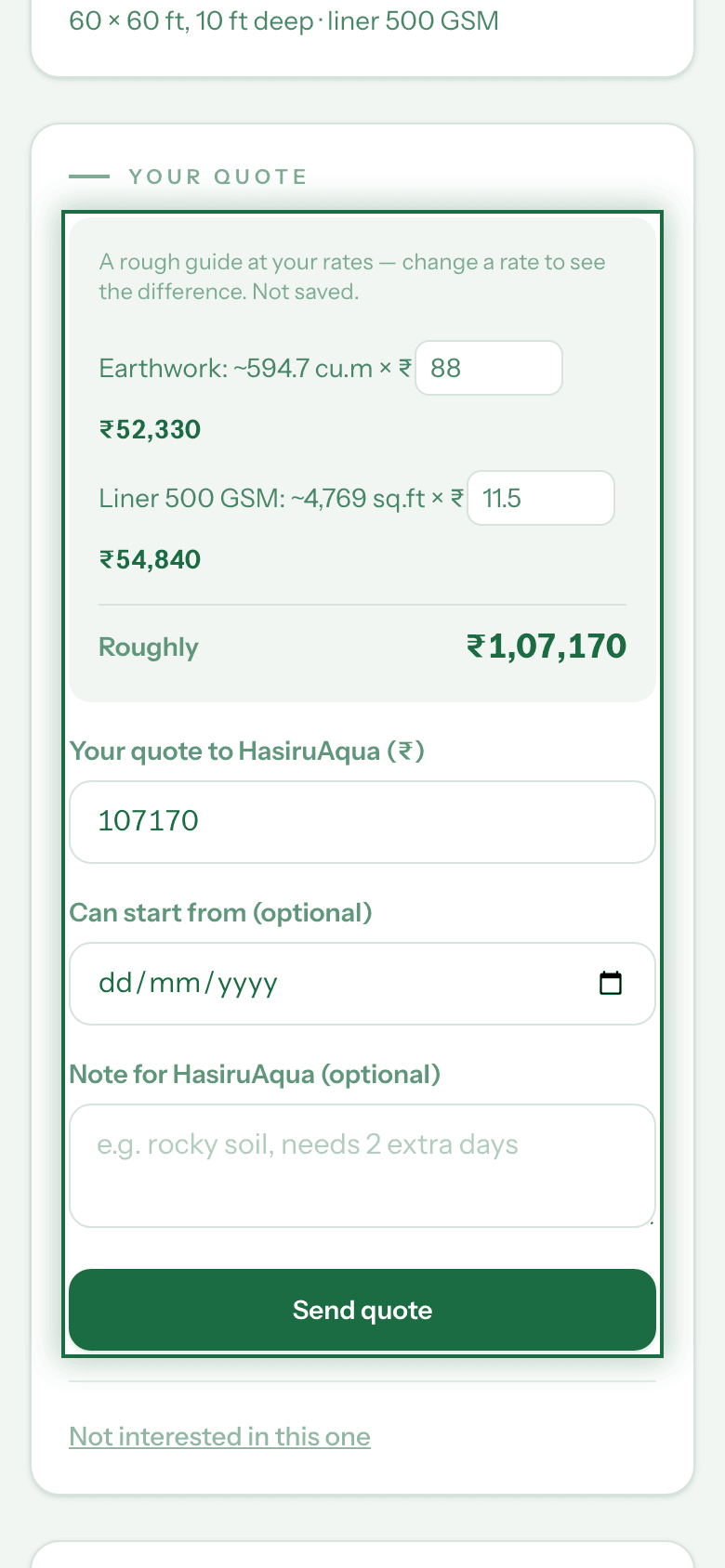
Your quote to HasiruAqua (₹) is filled in from the guide. Type your own price if it's different.
If you like, add Can start from (the first day you can start) and a Note for HasiruAqua, for example "rocky soil, needs 2 extra days".
Tap Send quote. The app says Quote sent — HasiruAqua will confirm with the customer. The lead moves to Quoted.
A seed order, or other work without a pond to dig, has no rough guide. Type your price in Your quote to HasiruAqua (₹).
Change your quote
Open the lead under Quoted, change the price or the note, and tap Update quote. You can change it until HasiruAqua decides.
Pass on a lead
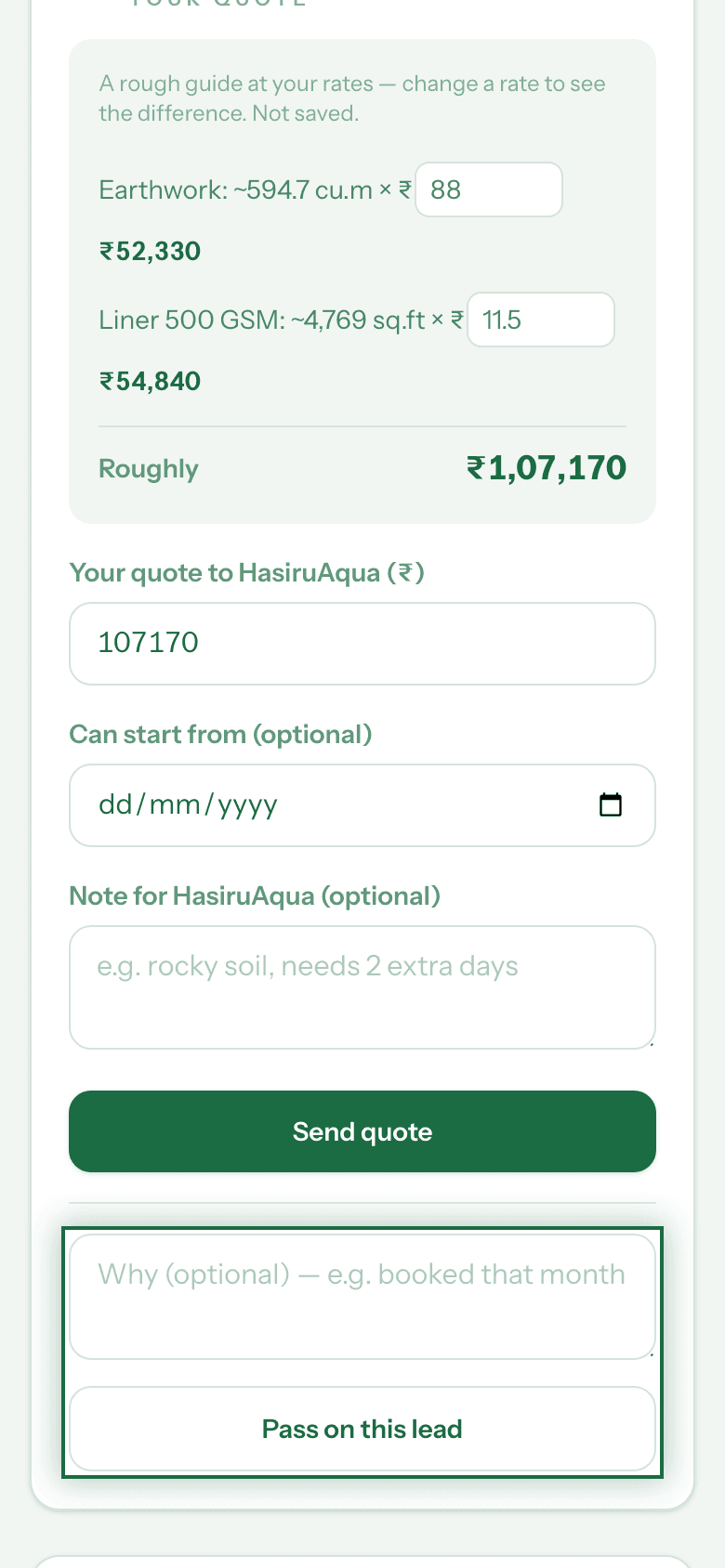
On the lead, tap Not interested in this one.
If you like, say why, for example "booked that month".
Tap Pass on this lead. It moves to Past, marked You passed.
What happens next
- HasiruAqua gives you the go-ahead. The label changes to Go ahead, the lead moves to In progress, and you see the farmer's details. See After the go-ahead, or A seed order after the go-ahead.
- HasiruAqua goes with someone else. The lead moves to Past, marked Closed, and says "HasiruAqua went with another option this time. Thanks for quoting."
- The lead closes for another reason. It says why: "HasiruAqua withdrew this lead.", "The customer didn't go ahead." or "This job was moved to another vendor."
If it doesn't work
- It says "Couldn't send your quote". Check your internet and tap the button again. If it keeps failing, call HasiruAqua.
- It says "The pond size isn't set yet". Quote what you'd need and say so in the note. HasiruAqua will confirm the size.
More for vendors
- Signing in as a vendorSign in with Google, using the Gmail address you gave HasiruAqua when you joined.
- My leads, the work HasiruAqua sends youEvery lead HasiruAqua sends you, in four tabs, from new to finished.
- After the go-ahead, record each build stepOnce HasiruAqua gives you a pond build, call the farmer, then mark each step and add photos as you go.
- A seed order after the go-aheadFor hatcheries: the farmer's details, what to supply, and photos of the delivery.
- Finish a build, from the farmer's sign-off to HasiruAqua'sThe farmer checks the pond, you upload QC photos, and HasiruAqua signs the build off.
- My profile, your business, rates and paymentKeep your business details, your rates and where HasiruAqua pays you up to date.
Was this the right page? Back to help home