Finish a build, from the farmer's sign-off to HasiruAqua's
The farmer checks the pond, you upload QC photos, and HasiruAqua signs the build off.
A build ends with three checks: the farmer's, your QC photos, and HasiruAqua's. They're the last steps under Build steps.
Farmer sign-off. When the liner is in, walk the farmer round the finished pond. Once they're happy, tap Mark: Farmer sign-off. If anything needs fixing, fix it first.
QC photos. After the farmer's sign-off, a second box appears under Photos: "QC photos of the finished pond — liner, bund, inlet and outlet". Take photos of each, and upload each one with Upload QC photo.
Tap Mark: QC uploaded. Until you've uploaded at least one QC photo, the app says Upload at least one QC photo below first. and the button stays grey.
The app says Waiting for HasiruAqua to check the QC photos and sign off. You don't need to do anything. The QC photo box stays open, so you can add more if HasiruAqua asks.
When HasiruAqua signs off, the job says Signed off by HasiruAqua ✓ and moves to Past.
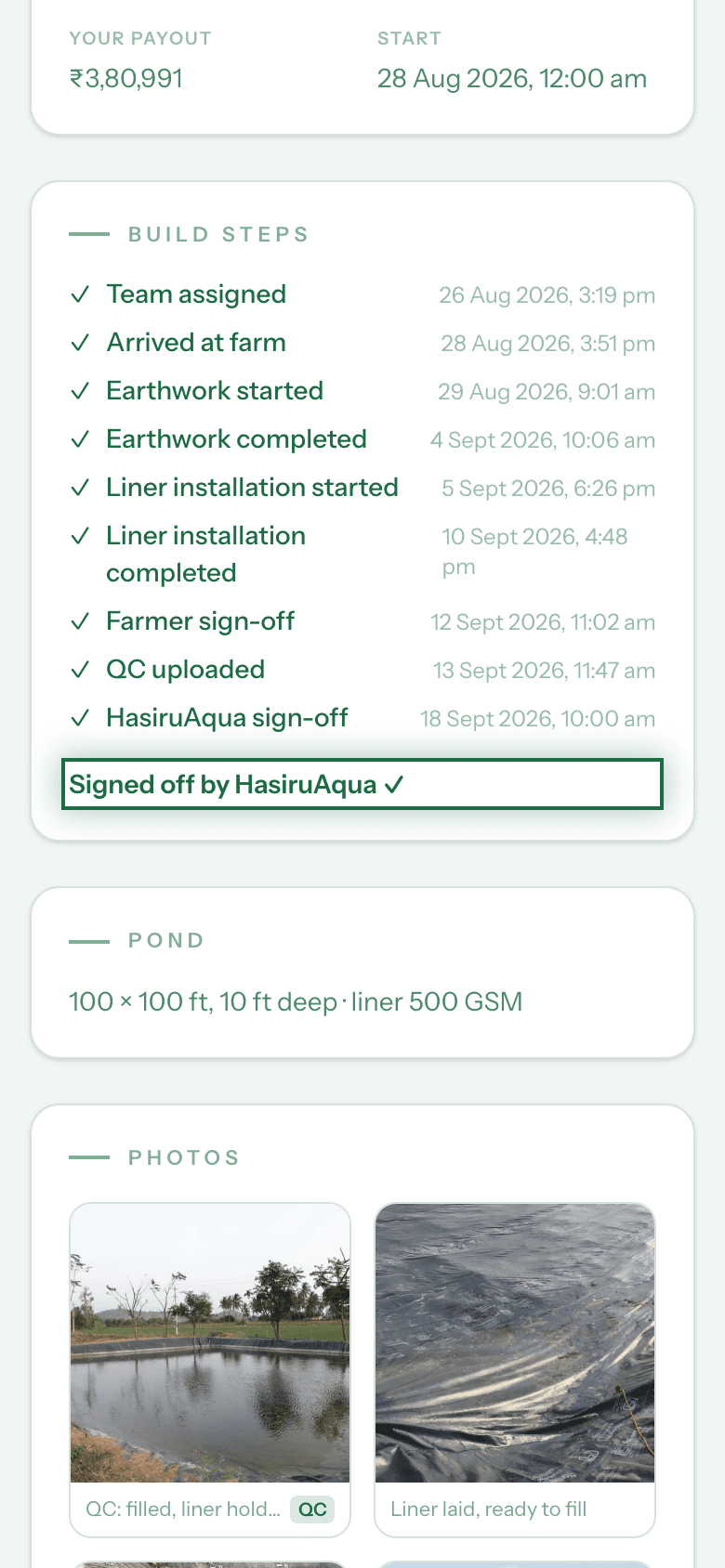
HasiruAqua pays Your payout to the UPI ID or bank account in My profile.
If it doesn't work
- The Mark: QC uploaded button is grey. Upload a QC photo in the box under Photos first.
- You marked QC uploaded too soon. Tap Undo last step (QC uploaded) and add the missing photos.
More for vendors
- Signing in as a vendorSign in with Google, using the Gmail address you gave HasiruAqua when you joined.
- My leads, the work HasiruAqua sends youEvery lead HasiruAqua sends you, in four tabs, from new to finished.
- Send a quote, or pass on a leadOpen a new lead, check the work, and send HasiruAqua your price, or say you're not interested.
- After the go-ahead, record each build stepOnce HasiruAqua gives you a pond build, call the farmer, then mark each step and add photos as you go.
- A seed order after the go-aheadFor hatcheries: the farmer's details, what to supply, and photos of the delivery.
- My profile, your business, rates and paymentKeep your business details, your rates and where HasiruAqua pays you up to date.
Was this the right page? Back to help home